




Oregon Scientific ATC2K (ATC-2000) Helmet Camera
Warmer, warmer, warm enough? Version 2 for the ATC series. It’s good to see that Oregon Scientific came right back with a new and improved ATC model, the ATC-2000. It seems they listened to ATC-1000 users and tried their best to get it right in round 2. So did they?
For starters, the ATC2K helmet cam is now capturing at 30 fps! This is huge. Resolution is still 640×480 (a 720×480 option would be nice.) Water-resistant to 10 feet. USB 2.0. Slight battery change (for the better). Overall an excellent 2.0 release!
The price is retail for $119.99. This is a great price point. Read on for more!
Let’s talk about video and compression quality for the ATC2K. What I know is from the manual and various bits on the web. The Manual also states that the output files are AVI, but no reference to the codec. Looking at the output files it appears the codec is Motion JPEG (not to be confused with MPEG) with a video bitrate of 4954 kbps (assuming best quality). Oh yeah, it captures mono audio as well at 8Khz @ 64 kbps. Not sure how it will handle wind noise, but they probably have that figured out. M-JPEG is create for capturing motion as each frame is compressed individually and stored. I’m assuming that by jumping to 30fps they found a new compression chipset with some more juice.
Monday, Nov 6th: Here is a link to a video on YouTube from a ATC2K attached to the back of a motorcycle. First, it’s compressed for the web - so not a good litmus test of quality. There is an interesting wobble in the video though from the vibration. Trying to get my hands on the original footage.
Friday, Nov 17th: Here is a link to some raw footage.
Here is some additional information I gathered from the manual regarding storage. A 2GB SD Card will store 60 minutes of 640×480@30FPS video. With 2GB SD cards running around $60 - I’ll take it! Gabrielle from Oregon Scientific noted in the comments at the Engadget review that 4GB SD cards work, but the thickness of the card might get it stuck in the slot! The manual states that they recommend the SanDisk Regular or Sandisk Ultra II SD card ($70 US). The Ultra II is a 66X/9MB per second sustained write SD card. The write speed may be critical - I read some user feedback that actually stated that the output video quality changes based on the SD card you use!?! This could allude to compression algorithms being adjusted based on the overall throughput of the SD card! The SD card that Oregon Scientific links to on their ATC-2000 site does not appear to be SanDisk, but the pic shows a “60X” speed. Hmmm.
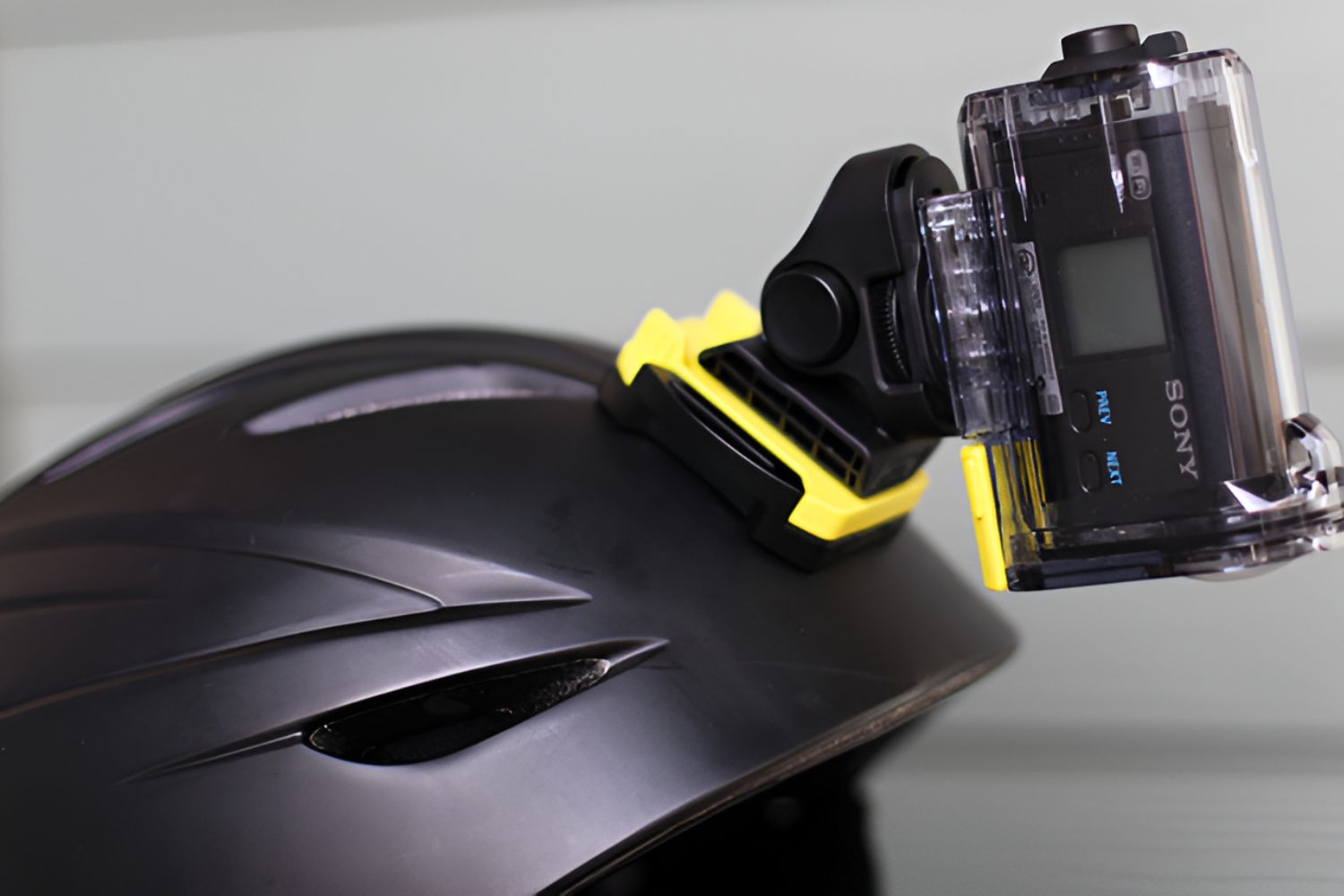
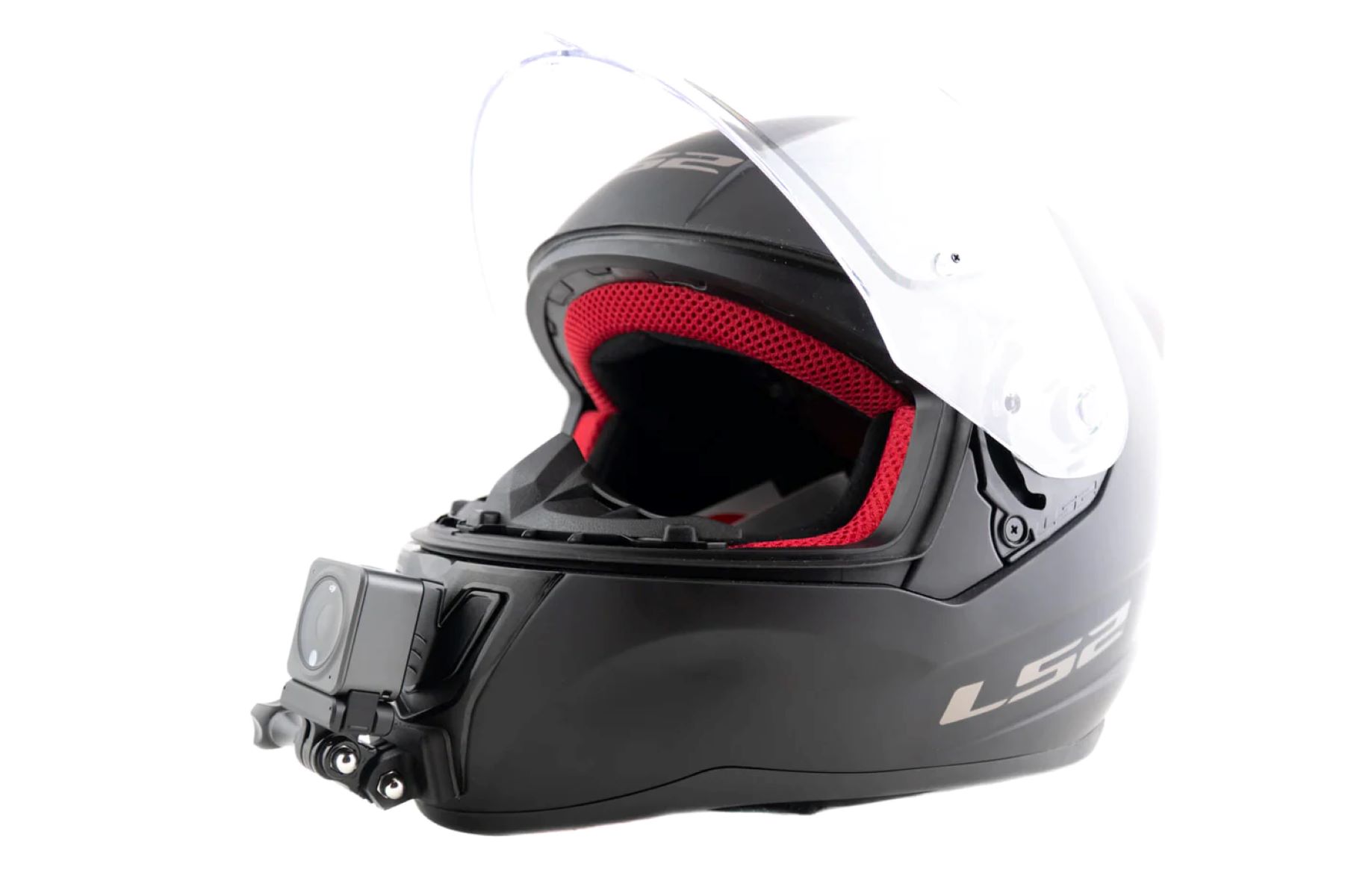
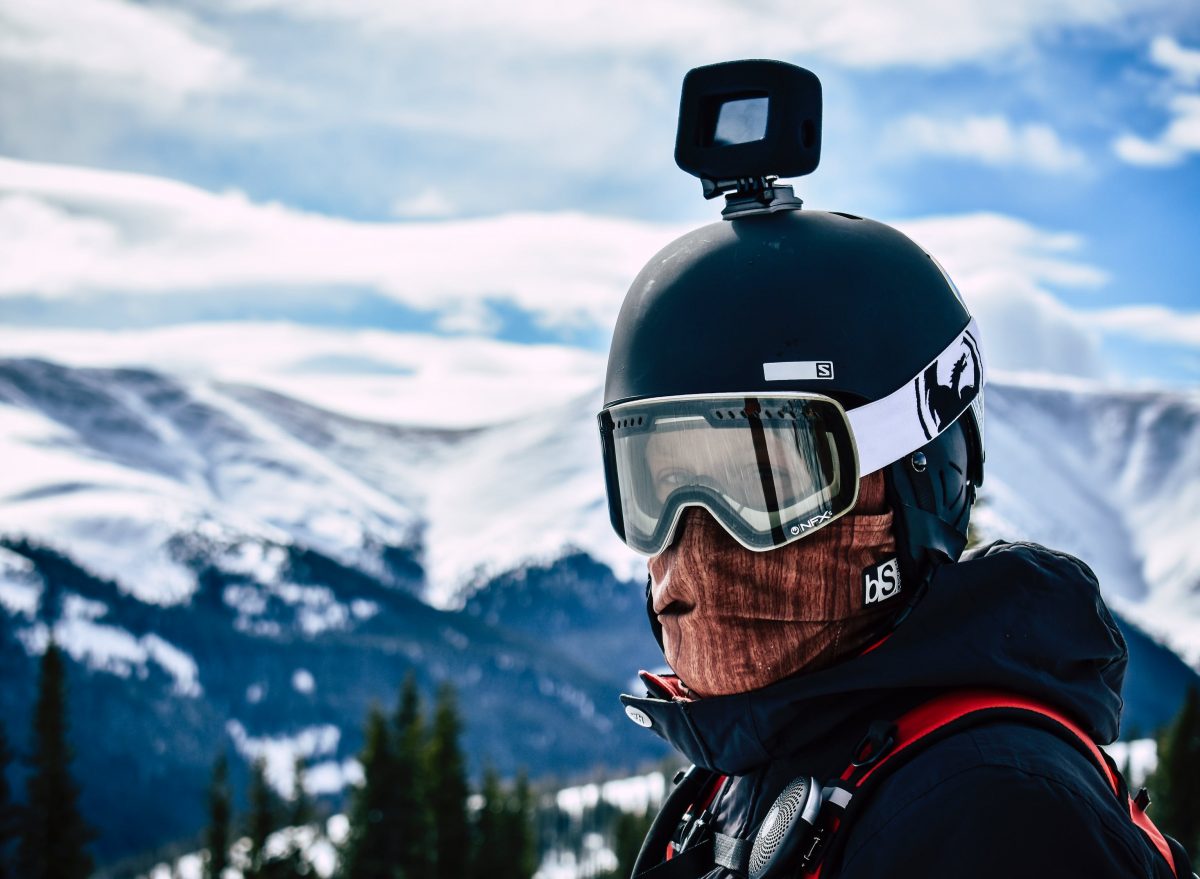
Usability. The ATC-2000 has only 3 buttons, and a small LCD. The buttons include: Power On/Off, Menu, and Start/Stop Record. The Power and Menu buttons are smaller, but have unique tactile shapes that should be esay to identify with your finger tips. The Record is in the center and larger. The buttons also have audio feedback such as 1 beep, 2 beeps, etc. I’m very interested to see what it’s like pushing the buttons with gloves/mittens on. It would suck if you had to take gloves on/off to use it. The LCD is pretty straightforward. Read the manual. The ATC2K comes with a couple of mounting options - both of which look pretty sturdy. The helmet mount is a strap based setup that puts the camera on the side of the helmet. HCC.com still believes that a top mounted camera provides better chase cam footage, with the downside of it looking a bit goofy. The bike mount looks legit.
The specs state it’s waterproof to 10 feet, but the manual states on page 3: “This ATC-2K camera is water resistant, but it cannot be used underwater. Oregon
Scientific will not assume any responsibility for malfunction of the camera caused by
water getting inside as a result of misuse by the user.” That’s fine - basically a waiver of liablility. On the next page, the manual discusses ways to increase the water resistance by applying silicon grease and an extra o-ring (both included) to the housing. Way to go Oregon Scientific! It’s good see a company suggesting common sense solutions to product issues! Just because they can’t engineer a perfect solution does not mean that there are not simple solutions to issues.
The ATC2K now uses 2 double AA’s, instead of 3 AAA’s. As for the batteries still being exposed to the elements, such as cold weather? The ATC-2000 helmet camera product page notes at the bottom: “Note: for optimal performance in colder conditions (at or below 0 degrees Celsius/32 degrees Fahrenheit) Lithium batteries are recommended.” The manual on page 4 discusses ways to remedy the cold weather issue! Sweet. There is now “Cold Weather Pouch” and “Heat Pad” accessories seperately available. Excellent. HelmetCamCentral has been using hand warmer pads and fleece for years to keep batteries warm - it works. This should effectively address the issue - as long as it’s not too cold out. I’m so stoked to see they are actually doing something about this issue. Helmet Cam shops all over the place have not even figured this out! If you plan on skiing with this in cold weather, I would bring along extra charged Lithium batteries (and keep them warm).
Other improvements: USB 2.0 support, MAC support, RCA connection support.
Pros: Small, inexpensive, solid-state / crash proof, removeable media, 30 fps, product manual addresses helmet cam issues, NO WIRES!, good design, USB 2.0 support.
Cons: No word on overall video/compression quality (This con will stay or go when I get the low-down), CMOS censor instead of CCD (This con could go too when I see the actual output), Power source exposed to the elements (Trade off for no wires.), Non-standard frame size (640×480).
HelmetCamCentral.com Recommendation: From a videographer perspective, we recommend a “Wait and see”. Though for the price, you could pick one up and try it out yourself. For a general sports enthusiast I’m sure the video quality is good enough for many applications - especially if your primary distribution channel is a YouTube or Google Video. I’ve had a good look at several raw clips from the ATC 2000, and all of them have a strange grainy effect coupled with a wave like ripppling effect when shaking/motion occurs. Have not heard on why this is the case. Lastly. Let us give thanks. To Oregon Scientific. For listening. For this verison 2. For 30 fps. And let us pray - for the coming of the ATC-3000!
Pricing
Helmet Cam Central Price: $119.95 + Free Shipping Worldwide! (Order Here)
We are available toll-free at 888-409-4408 to answer your questions.
Please contact us directly to discuss quantity discounts.
We Review AND Sell Helmet Cam Systems. Wha-Wha-What!?!
Some history on us, the blog, and The Shop….In the Fall of 2005, Helmet Camera Central was born as a result of our helmet cam experiences from our video consulting business Two Brothers Video. Helmet Camera Central is a simple resource designed to help people find objective and pertinent information about helmet camera systems. Over the past few years we have tried to review helmet camera systems with an unbiased and objective point of view. Generally, we focus on the functional and usability aspects of helmet camera systems. We have run the gamut of helmet cam systems and know what works and what does not.The type of reviews we produce are a by-product of our day to day experiences with helmet cam systems. Ease of use, reliability, and quality are at the top of our priority list. The helmet camera systems that we chose to Recommend and Sell at The Shop were chosen for a very good reason: They rock! If a review seems biased, it is only because we strongly feel that particular product is worthy of our bias! There are quite a few systems out there, and the ones we recommend generally provide the most elegant solution and the best return for your investment.
We are always here to answer your questions and help you purchase a helmet camera system that meets your needs. If one of our recommended systems is a fit for you, we hope you will find that The Shop is a trusted storefront to supply your helmet cam equipment. If our recommended systems do not fit your needs we will not hesitate to put you in contact with the right vendor to find a solution.


November 7th, 2006 at 9:13 pm
Firstly, huge thanks to Oregon Scientific for putting the effort into the ATC2K. To replace a wired lipstick camera, microphone, 12V battery pack, A/V cord, remote control, and most importantly a camcorder, with this slightly oversized lipstick camera is a huge accomplishment.
I was so confident this unit was going to replace my current setup, which I use for work, I ordered eight. Today I spent a few hours testing one of the units.
I got lucky and one of the SD cards I had was the SanDisk Ultra II you mentioned as recommended by OS.
Everything mentioned in the review, based on the owners manual is accurate. For instance, there are a couple of mounting options included with the camera that are solid. Not quite up to my extreme needs but a good effort.
The unit is super easy to opearate. It comes from the factory set to the highest resolution setting so you can start experimenting right away. I think it could be operated with gloves pretty easily. Especially because one of the smaller buttons is used to turn it on, where it will stay for 10 min, and then a much larger button is used to start recording.
I would love it if future versions had some way to control it with either a wired/detachable or wireless remote. That way you could get it recording and be sure it was doing what is was supposed to.
So far, I have been unhappy with the video quality. I would like to do some more testing. Maybe use the batteries they recommend in the manual. But I did use brand new batteries:
Take home message: The video seems to me to be quite grainy. If I watch in a 1inch X 1inch window, things look pretty good. But connecting the unit to the TV or running it in a reasonable size window on the computer, the image is quite grainy.
Because the unit is so small and self contained, I’m sure a lot of people will get footage with it that they would NOT get with a normal camera setup. I’m just not sure people will love watching this video except in small windows on the computer.
Hate to be negative, but I hoped we had come to the end of my mass of wires that I call my camera system, so I am a little disappointed.
November 8th, 2006 at 10:29 am
So with a 2GB SD card on the highest resolution how much footage could you expect off this device? Any more word on the image quality?
November 8th, 2006 at 11:48 am
2GB SD @ 640×480 @ 30FPS = 60 Minutes.
4GB SD @ 640×480 @ 30FPS = 120 Minutes (Be careful these cards may get stuck in the unit.)
November 8th, 2006 at 3:09 pm
is this camara worth buying? does anyone have any good quality clips to view the performance
November 10th, 2006 at 3:43 pm
I just bought mine off Amazon…it’s $119 there, but other places that were cheaper said they wouldn’t ship ’till mid December. I live in the times of instantaneous gratification, so I want it asap…well so long as they don’t stab me with another $20 for shipping. Anyway, when I get it I’ll take it for a car ride, bike ride, and jog and I’ll put up torrents to the videos as soon as I can. Come spring I’ll make it as waterproof as possible and setup videos of jetskiing so you can see the quality from a hard mount as well as head mounted in water. Hopefully my videos will be a bit more telling than the little clip OS provides on their page.
November 11th, 2006 at 1:45 pm
Make the cameramounting stable enough, aka use cameras mounting system + some duct-tape on both ends of camera to avoid the “wobble-effect” as seen in those clips in youtube.com:-))
That plastic ring in midlle of camerabody isn´t stable enough to keep the camera “unshakable”
And, please post link here asap;-)
..and uncompressed version please!..
November 12th, 2006 at 6:03 pm
Realy interested in this. i want a small cam with onboard mem for a little stunt/mx work. the clip they show on there site is good enough for my needs. is it a good indication?
November 13th, 2006 at 9:01 am
I don’t think duct taping the camera is going to eliminate the wobble effect. If you look at other videos online (tough to find, but they’re out there), the effect seems to be a problem with pulling the image from the sensor. It looks like it’s pulling the frame from the bottom up and the refresh on the video encoding is faster than the refresh of the sensor. I don’t know for sure, it’s just speculation, but I should have my camera here on Wed or Thurs (shipped this morning via standard UPS). Also, I was wondering if anyone knows if a lens can be added to the camera or if the default lens could be changed out. Ideally I’d like to have a .5x magnification or smaller for that nice fisheye effect. Either way, I’ll let y’all know when I get it. And I’ll post the videos direct from the camera itself.
November 13th, 2006 at 9:57 pm
Here’s a video of a model rocket with an ATC-2000 strapped on it. It’s not too easy to tell from the video, but the wobble is there. If this is an indication of the kind of video you can get from it, I’m very excited. Please note that since it is on Google video it’s compressed, but you get the idea. Got the tracking number for my camera and it’s supposed to be here Friday. I’m going out of town late Friday, so you’re probably going to have to wait ’till at least Monday to see any unprocessed video from me.
November 14th, 2006 at 7:05 am
I got one for $99 from mountaingear.com. Before that I had the ATC-1000 which was so bad I sent it back (may have been defective). You get what you pay for, and for $99 you don’t get that much, but I think it’s worth the $99. Not the best video quality, but the chief complaint is the varying light intensity… if the sky is bright the ground may get very dark. Still worth the price IMO; I don’t have $400 or more to spend on something better, and I expect to continue playing with it recording my paramotor flights. I put this video shot with the ATC-2000 on Youtube; compare it with this video shot with the ATC-1000 (note that Youtube reduces videos to 320×240 from the original 640×480). For both I used a Ridata 66x 1GB card which I bought for the 1000; I need to get a 2GB card now.
November 14th, 2006 at 12:56 pm
Just got mine this afternon in Dublin, Ireland. I am going to use it for skiing, i have fitted to my helmet but it still wobbbles. I am only trying it out in the sitting room and it comes out abit grainey, i wonder if i should reduce down to 15 fps and 320 by 240 pix eventhough i will be mostly using it outside
November 15th, 2006 at 10:41 am
I got mine in last week from http://www.stuntcams.com, at a great price ($125), and I can say first hand that this camera’s quality is much better than the ATC-1000. It’s not good enough to for DVD footage, like their 520 REs camera is, however if you just want something easy for any age, this is the camera to get!
November 15th, 2006 at 11:09 am
Dana, Murnango, TokyoRed, can you post some video straight from the camera here. I’d like to know if the wobble is present at all settings and how prevelant it is.
November 15th, 2006 at 8:40 pm
Benji, I’d like to, but all the vids here are hosted on youtube or whatever… and they all reduce / compress it. I will see what I can do though.
November 16th, 2006 at 12:53 pm
OK, the full resolution (640×480) version is here. It’s not raw footage but the same size and frame rate, etc., unlike the youtube version. I’m still working on uploading a raw clip.
November 16th, 2006 at 6:25 pm
OK… here are two:
Same as the above youtube film, but in the same resolution as the camera.
Raw footage straight from camera (the first bit of the above film).
Hope this helps…
-Dana
November 17th, 2006 at 12:20 pm
Dana,
Thanks for posting that video. I have tested one of mine a bit and the video I get is very similar to yours. That is, good, a bit pixelated, but good. Not great. An excellent effort for a very simple to operate camera.
November 17th, 2006 at 12:21 pm
Ok, I’ve looked everywhere and can’t find the answer. Is this thing video only or does it record sound too?
Thanks,
-drew-
November 17th, 2006 at 1:19 pm
Nice one for putting up the raw footage. Some of the other vids had sound but there wasn’t any audio channels in the raw file, so I’m guessing it was left out to save file size?
(For reference the compression is Motion JPEG, 4945 Kbps.)
November 17th, 2006 at 1:24 pm
Yeah that’s what I meant to say: If anyone has any mountain biking footage could you put it up (preferably raw)please.
That would be great, cheers.
November 17th, 2006 at 3:04 pm
Dana`s RAW footage looked great, not enough fast movement thou, and sample was lil`bit too short..
If Someone could post unedited RAW-clip of onboard or in-car, including fast movement, and length of 30+secs..
November 17th, 2006 at 5:51 pm
The camera has a microphone and there is sound in the raw clip I posted (I didn’t do anything to it), but the sound in that particular clip isn’t that loud.
All the longer clips I have are much longer, i.e. much larger file size.
November 19th, 2006 at 5:51 pm
Well, I also purchased the ATV-2000 / AT18 at MountainGear.com. Expected delivery date is 15-12-06, almost a month from today. I hope that they’re able to deliver early so I can test the device before taking it with me while skiing.
I haven’t seen any footage in the snow yet. Has anyone came by such movie on the internet perhaps? Dana’s full resolution RAW version looked good already, but how will the camera stand out in snowy conditions?
November 20th, 2006 at 7:34 am
Dana, thanks for the clip. I should be posting some today. UPS messed up my delivery and when they sent it out to be delivered on Friday…they sent it to a city 4 hours away instead…hopefully they get it right today. For those who are interested the audio for that clip was the following:
8000Hz mono @ 64Kbps compressed using TAG 0007 (which apparently I don’t have an identifying codec for, but it seems to decode just fine on my computer using ACM wrapper and it identifies as muLaw compression in wav format, so it should decode with just the default Windows codecs).
I’ll see if I can post something with a little more likelihood of showing the wobble effect. Thanks again for the clip!
November 21st, 2006 at 9:16 am
Repost for Benji:
I finally got my camera, it’s late, so I can’t do any good daytime tests, but I did find out how to highlight the ‘wobble’ effect and have put some tests up . The torrent contains 6 videos from all the resolutions/framerates from the camera. The videos are all pretty similar: me spinning in my chair, nodding, then shaking my head. The room has pretty average lighting, and the ‘wobble’ can be easily seen in the vertical movement and is impossible to miss in the lateral movement.
!!!
!!! The Torrent can be downloaded from here.
!!! FYI: This links to ThePirateBay. Unsafe workplace images & popups WILL be seen.
!!!
I played with the camera a bit during the day and I can tell you a few things:
1. In bright daylight, the wobble and grain are not a big issue. The quality is about the same as a digital picture camera. I own a Sony DSC-P150 and the videos from my still camera are a little better than the helmet camera IN DAYLIGHT. When the lights go down…well, just check out the videos and you be the judge.
2. The audio is next to nothing. I had it strapped in my car for the ride home from work today and had the radio BLARING and could barely hear it on the video. I would have put that in the torrent, but I don’t want y’all knowin’ where I live…and it was 140Mb.
Please, if you download the file, seed it. There won’t be a lot of people downloading this I’d imagine, so be kind to others that want to see the crappy test videos.
November 21st, 2006 at 4:34 pm
Ugh, after testing this for a while I can say without a doubt that it was a poor purchase. This needs a wide angle lens so bad it makes me physically ill. The wobble effect is far more apparent than I noticed yesterday. This is basically an unusable camera. If you take it to any of the sports advertised on the box and record for two hours, you might (MIGHT!) go home with 2-3 minutes of usable footage…for youtube. If you’d like to test out if you like the video quality, head on over to your local Fry’s and pick up a web cam (there’s almost always a promotion for one) or buy one that’s under $10. Now plug it into your laptop and record stuff while you walk around with the webcam. Now convert the video to an audio stream and broadcast it using an iTrip from about 50 yards to another computer that will convert the audio signal back to video…now watch it with your eyes squinted on a 17in monitor from a good 10 feet or so and you’ll have a good general idea of the quality of video this outputs…
For a little more than $100, go buy a smaller camera (like this one) that takes far better video, weighs less, and isn’t prone to crashing. I’ve had the camera itself lock up 4 times now while filming. I’ve probably only taken about 20 videos, which puts my failure rate in the neighborhood of 20%. I just wish the company I’d bought from had a return policy. Wait for the ATC-3000 and pray that they fix the sensor.
November 21st, 2006 at 5:03 pm
Chadical thanks for the footage,
Would it be possible for you to upload somewhere as it would be a lot quicker for everyone to download. Torrents are meant for larger file sizes , and only work if lots of people download them.
Cheer, James
November 24th, 2006 at 4:32 pm
Have had the camera one day now, i filmed for 30min riding my bike at work. This is what i got:
http://fixie-king.dk/coppermine/thumbnails.php?album=21
(compressed from 27mb to 11mb)
I mounted it under the bars with the included mount only. A lot of wobbeling, but i guess if you mounted it properly on a helmet, this would eliminate some of the wobbeling.
November 25th, 2006 at 10:39 pm
we’ve been running the atc-2000 for a couple of weeks now trying to get the quality and stability right. as others said, the stability can be greatly improved by just duct-taping the stand to a helmet. the image quality is not spectacular but is worth it for the money. all sports we’ve tried excluding skiing (karting, mountain biking, atv) have been too violent for that cam and have left us with only a few clips usable for the general population. the scan lines are horrible at high speed.
tip: several editing programs contain image stabilization software that can reduce the jitter in your movies. i’m not a professional, so i stick with whatever’s available for iMovie: Slick Stabilizer and fxStabilizer plugins. they do a reasonable job.
the battery life seems to be long to very-long. two titanium energizers recorder close to four hours of movies and are still going.
test videos:
http://9grid.net/andrey/movies/route66-lap.mov
http://9grid.net/andrey/movies/biking.mov
November 25th, 2006 at 10:43 pm
please change the second link in the above post to: http://9grid.net/andrey/movies/biking-20061124.mov
November 26th, 2006 at 7:10 pm
I just bought one of these and a few notes. Mostly it works great but the sound is funky… muddled and low quality… sounds like mostly “bone” conduction.
Just a few words about the helmet picture. The strap that comes with is is way too short to fit around any helmet… it’s not even long enough to fit on my bare head (medium side head) without unreasonable pressure. The photo also looks like there’s a backlight on the display but no backlight on the product.
They do include a selection of straps and brackets but none of them seem to be very useful for holding the camera in position. Either too short or they need to be too tight for comfort. Needs work in this area. The bicycle handlebar clamp works but there’s too much vibration in this location so can’t use it.
Underwater works very well. YouTube here and
November 28th, 2006 at 9:45 am
Yes, Mark is right about straps.
Anyone knows how to attach the camera on the top of a MX helmet?
I’d screw it to helmet peak but on films we only see the floor…
November 28th, 2006 at 12:40 pm
The best way to mount the camera is by placing a soft pad(opposing strips of velcro on the helmet and the bottom of the camera work well) in the correct forward and backward mounting area on the top of the helmet and then riveting strips of velcro around the pads. You’ll need at least two on each side and the velcro should overlap. Chad and I have used this method for years and it works. What’s nice about it is that you can easily pull the camera and switch the mounting. Of course, if you don’t want to go this route, there’s always duct tape.
November 28th, 2006 at 1:52 pm
I recently purchased this cam and after some “testing” at home I knew that the mounting system that came with this camera would not work at all. I thought long and hard about using duct tape and was somewhat discouraged by the site of that. I then cam up with the idea to use small zip ties. There are a number of small vents in the top my helmet which have allowed me to create small holes to run the zip ties through. I thought I would be able to feel the zip ties on the inside of the helmet but I can’t - so that’s good. This really seems quite secure (no wobble). I haven’t been able to test it out at the mountain yet, but I imagine it should work fairly well.
November 29th, 2006 at 8:27 am
For attachment to bike frames, I’ve found that electrical conduit fasteners to work well. One conduit is attached to my frame and the other is around the camera. Provides a rock solid mount without the duct tape…the background still wobbles when there’s a lot going on.
November 29th, 2006 at 10:48 am
Im a bit pissed and confused after seeing a post on engadget.com from Gabrielle who claims to be from OS. http://www.engadget.com/2006/10/24/oregon-scientific-busts-out-head-mountable-atc-2000-webcam/2
Gabrielle, i sent you an email and i have Called Oregon Scientific and no one seems to know how you were able to get this unit working with a 4gig SD card…
How is the 4gig SD card bigger? i was under the impression along with everyone else i spoke to that the size is standard, so i went to Fry’s and purchased a 4gb SD @ 150x and went to the store in Santa Monica Ca to test it out and the guys there tried 2 different Units and none of them took the card and read Err.
November 30th, 2006 at 9:35 am
I received my helmet cam (ATC-2K) last week and I’ve been experimenting with motorcycle video. The sound recording is TERRIBLE. There should be a standard mic input jack to eliminate all the physical contact noise. (OREGON SCIENTIFIC, ARE YOU LISTENING?) The audio is muffled and wind noise is horrible. I taped a small wind sock over the mic pickup but that did NOT help.
I have contacted both Gabrielle gelmer@oscientific.com (suposedly from OS) and also sent an E-Mail to the OS Support (yeh, right) staff and have had no reply from either of them.
The helmet mounting strap is way too short to mount to any real helmet. It needs to be at least 50% longer to be of any use.
The round handlebar or frame mount is nice and solid but it transfers so much engine mechanical noise that the recording is worthless. There needs to be a way to isolate the mic from the camera body (see above).
Is this camera REALLY USB 2.0 capable? I have found that a 700Meg transfer is taking over 16 minutes, even when attached to a 2.0 USB port. Pretty slow for 2.0.
If this camera is truly Firmware Upgradeable as was mentioned in the review, PLEASE work out the bugs and send us an update for the sound recording problems.
The video is pretty good but all the other problems (Too short straps, mic noise picked up from physical contact, muffled voices) detract from the overall quality of this camera.
November 30th, 2006 at 9:59 am
I bought this from Hammacher Schlemmer for $130 back in August to use at the track for motorcycling.
First, the camera ergonomics just don’t work well, making the camera virtually useless. Software interface is horrible, buttons are tiny and cannot be used with gloves on (bike or skiing or snowboarding etc…). Second, it doesn’t work well with the SD card interface…my camera just decided it didn’t like SD cards at all (even the San Disk Ultra II–I own several types of SD cards–in my case it hated them all and they almost all got stuck in the camera).
The strap/camera holder combination doesn’t keep the camera steady even when strapped down well making the video jiggle horribly. Video is better than the first generation–I knew that going into the deal–but this camera is actually larger in diameter and even feels heavier–basically it’s bulkier and harder to mount.
I sent it back out of sheer frustration having only gotten a few seconds of useful clips…the rest (when the camera decided to work with the SD cards intermittently) was useless.
Very disappointed…wanted something self contained that was also water resistant. Other bad point is there’s no way to see what you’re shooting (no lens or mini lcd — even B&W would be good) so you can’t tell how you’re framing the shot until it’s over…
November 30th, 2006 at 11:22 am
Mick - I wasnt able to get a reply back from their tech support and when i call they are completely clueless and seems as if they are reading the same line b/c they all said they dont recommend a 4gig card but should work and may get stuck b/c its thicker!!! i think the tech support is reading these forums like us… and also stated NO firmware Upgrade at all for the atc2k
Matt im going to be using it for the same exact reason on my racebike and there is no way im going to be happy with footage from this thing at all.. i have been searching for an alternative for about a month now and i have found a few others but they are all 2gig and not 4gig compatible… the Panasonic SDR which is probably the best cam for what we all need runs about $700 and supports 4gig but for what im doing its too expensive if i crash i wouldnt want to worry about the cam… another brand i found which people were happy with was Aiptek however not a 4gig supportable cam and somewhat mixed review for still frames but video seems to be decent…
November 30th, 2006 at 1:02 pm
Al- Thanks!
I’m pretty much convinced that Oregon Scientific is more interested in SALES than support.
December 1st, 2006 at 7:27 am
I attached the camera mounting “shoe” to my helmet with zip ties (6) through the mounting holes. The styrofoam liner in my helmet has come loose so I was able to run the zip ties between the liner and the shell.
Re connecting it to the computer, yeah, it’s real slow. USB card readers are REAL cheap now though, so I got one of those and I just pull the card and use the card reader to get the video into the computer.
I have learned to keep my hand away from the mike when holding it in my hand.
Another flying video from the camera (not raw, compressed via youtube) here. Gonna try some other attachments when I get the chance.
-Dana
December 1st, 2006 at 7:29 am
Oh yeah, P.S. I should have mentioned that some of the ground based clips in the above video were taken with a Sony DSC-W1 digicam, not the ATC-2000.
December 4th, 2006 at 12:59 pm
I can tell you one thing, im not buying this unit thats for sure. if the 3000 is better and their support/tech dept are not sales people then they may get my business
December 9th, 2006 at 6:09 pm
from the official site:
NOTE: Although the manual and packaging states the product is only water-resistant, subsequent tests have since certified the product as waterproof. Please do not be alarmed by this discrepancy when receiving your product. Thank you.
http://www2.oregonscientific.com/shop/product.asp?cid=20&scid=77&pid=709#
December 10th, 2006 at 4:31 pm
I have tried some different mounts on my bike.
http://fixie-king.dk/video/video_test.htm
December 11th, 2006 at 6:50 pm
Hi All,
I’ve been looking at the ATC-2000 and reading your comments, on a scale of 0-10 how good are thease unit’s ?? I’m wanting a wireless camera for kite buggying, kite surfing and also wakeboarding, would this one do the job or are there better models for a similar price ??
The only price I’ve found so far is £164.00, is this an average price ??
Thanks for your help,
Rodger.
December 12th, 2006 at 3:27 am
Here is a mix of ATC-2000 and reg shots on snow
http://www.youtube.com/watch?v=be2FcMygCWw
Dave
December 12th, 2006 at 10:35 am
Hey All,
Rodger, I found somewhere that was £159, thats expensive!!!! So £164.. ?!?!?
Most places in the US will sell it at about $129.99 which from xe.net is £66.09
See for yourself as far as effective cameras… so far I’ve seen none at good at this! I think OS may be increasing there price considering they are sold out almost everywhere.
Laters,
Chris
December 12th, 2006 at 1:14 pm
dont bother its crap.. try something else like this with image stabilization,, found it at best buy and its on sale too for $99
http://www.bestbuy.com/site/olspage.jsp?skuId=7867472&type=product&productCategoryId=pcmcat103000050042&id=1142301544192
December 13th, 2006 at 12:30 am
Rodger,
I figure you get what you pay for - and the alternative in this case is viosport. I paid 129.99 for mine and so far have been somewhat pleased. It’s by no means perfect - the sound is horrid, the included mounting hardware is a joke and the video quality is “ok.”
Overall I think this is a pretty decent ENTRY level cam though. I don’t play nice when I go boarding and when I bail, I bail pretty hard - and so the thought of destroying $500.00+ setup just didn’t sit right with me.
I think it’s an ok buy and am happy that I bought it. You just have to be willing to accept the pitfalls and know that if you want great quality you’re going to have to fork over a little more then 129.99.
So, I would say
Overall: 6
Good Luck
December 14th, 2006 at 8:02 pm
i got the helmet cam when i put it on my lap top it shows its an avi file and i cant figure out how to burn a disk can anyone help.
December 15th, 2006 at 6:02 am
If your trying to burn a DVD to play on a TV, you need to convert it into MPEG2 format, or use a specific program for creating video DVDs (as opposed to data DVDs that won’t play on a TV.
This this program can convert and burn video file, there’s a demo here:
Roxio Easy Media Creator 7.5.4
Hope that’s helpful.
December 15th, 2006 at 6:04 am
Ok my link doesn’t work so just copy this address:
http://www.download.com/Roxio-Easy-Media-Creator/3000-2646_4-10409252.html?tag=tab_pub
December 15th, 2006 at 5:42 pm
thank you very much
December 18th, 2006 at 3:33 am
I’m having trouble getting my unit to recognise the SD card I bought for it. Its the reccomended Sandisk Ultra II SD card but I just get an error message on the LCD. I’ve also noticed that although the card seems to click in when inserted it can be PULLED out very easily… it doesnt need to be ejected.
I’ll try another card in the unit in the next few days but the card I have works fine with other cameras.
Anyone have any ideas or suggestions?
December 18th, 2006 at 5:42 am
I’ve just tested the camera again and I need to push the card in really firmly and hold it before its recognised. But without manually holding the card in the slot (very hard) it doesnt work. I bought it in the US and I’m in Australia so unfortunately returning it isnt much of an option.
December 18th, 2006 at 12:16 pm
Couple of points on this camera. I had major problems on a motorbike - all caused by vibration and acceleration. In all cases and with all SD cards under heavy and hard acceleration the camera switched off. Turns out the SD card will come out slightly - the SD card click is not a proper lock.
I managed to fix this with a small strip of expanding foam - like a motorcycle ear plug - put over the SD card and held with tape.
Have mounted the camera with a RAM mount - the helmet bracket that comes with the cam can be bolted to a RAM mount diamond base.
Now it seems to work o.k.
Sound is terrible. Only issue I have is that certain SD cards don’t seem to work that well - so I am trying a few different brands.
Bottom line is that the camera is o.k. for the money given that the only alternative for a weatherproof and rugged cam is well in excess £150 ande then you need to add a recorder.
Still - vibration causes a “wobble” in the picture but only on hard revs.
December 25th, 2006 at 6:34 pm
OK guys, i bought this peice a Crap” few days before christmas, what a waste of money,lol.Tried it 2 or 3 times,bought it for taking on the ATV, no go.Sound is unusable,handlebar mount used on my front rack extender was solid as could be but motion wobble made it total waste of time, as did high speeds,don,t know any real good spot for this besides in the trash”(mines back on ebay)On a good point i’ve had a ball playing with my 7 year olds Hotwheels Radar gun,this thing works awsome, wonder if he’ll trade me maybe”"
Sample from Today- http://www.youtube.com/watch?v=mIcv81CnLJM
December 27th, 2006 at 6:12 am
Well, I also tested the ATC-2K before heading to the mountains for skiing. I used my bicycle for testing and went around the block a couple of times. I used the best footage from testing different modes. 640×480 @ 30FPS, an hour filming with my Sandisk 2gb SD (non Ultra). It’s a WMV compression, and YouTube doesn’t make it any better. Still a nice camera for the buck tough. I mounted the camera onto my helmet by using the rubber band with mounting bracket. This is not very stable, and shifts and wobbles every time you move. So I strapped it firmly into place by using the velcro straps that came by the ATC-2K. I also use a peace of foam between the helmet and camera mount.
You can view my video here: http://www.youtube.com/watch?v=3hUbsHyF0ik (don’t mind the typo at the end).
My way of mounting, without the velcro straps: http://www.rc-cropduster.com/users/jorrit/images/fok/atc2k_03.jpg
Too bad that Oregon Scientific doesn’t include the cold temperature sock, that should be used in cold conditions. It’s cheap at only $6, but I don’t have the time to order one anymore. I take off for skiing within 10 days from now. Therefore I’ll be using a bit of foam and some ducktape.
My conclusion: For shooting some footage while extreme sporting, it’s the one to choose. If you desire high resolution, superb quality, you should get another camera with separate bulletcam I presume. The ATC-2K is easy and fun to use, especially when you’re on a low budget. For myself I made the right choice, the ATC-2K is exactly what I’d expected.
December 28th, 2006 at 1:19 pm
Hi,
Got the Camera for X-mas, The first thing that I have got to say to anyone buying this is that the quality isn’t the best but if you only want it for “home movies” then it is spot on. The other thing is that the mounts that are provided need some alterations to get the best picture. I spent about 10mins playing around with the straps and Velcro provided and my mount now works well. Please download the below video for an idea of picture quality. *Please note that this video is compressed, only to save space* http://www.monkeyspoon.com/Videos/2006/06-27-12%20Hurst%20clough%20test%20comp.avi
You will need this codec installed to watch it http://www.3ivx.com/coral/3ivx_d4_451_win.exe
I would also like to point out that the track shown in the video is very bumpy; you get a better idea at the end of the video when it is used on a smooth road.
So far I am pleased with the camera; you just need to spend some time getting a good mount set up to get the most out of it.
Cheers,
James
December 29th, 2006 at 8:45 pm
Hi,
Is there any indication as to why it’s almost twice the price in the UK as it is in the states?
Contemplating getting this for use while snowboarding. Not looking for nothing expensive that I can break when I fall. Has anyone else used it for this yet?
Cheers,
Ross
December 31st, 2006 at 4:46 am
Ive looked at the raw footage posted,
Quality is good for what you pay,
MJpeg is similar quality to Mpeg4 it will never be DVD/Broadcast quality,
But the cheapest Mpeg2 recorder costs around $500 (chasecam.com)
so for the average adventurer who wants to be a U-Tuber or just wants to show the wife what a real man he is its perfect.
Who knows what next year will bring.
December 31st, 2006 at 6:16 am
Ross, if you wait another couple of weeks, I’ll be back from skiing with some fresh footage. I’m also quite curious about the quality in the snow. Hopefully it doesn’t give much lens flare caused by reflection of the snow. I don’t have that special insulation sock that should be used in cold conditions, but I found some pipe insulation and it’s quite useful I think. Duck tape all the way!
Why don’t you order the ATC-2K at Mountaingear.com? With shipping it will cost you about 70 GBP, which is not that expensive in my opinion.
December 31st, 2006 at 12:59 pm
Hi Jorrit, thanks for the info. At that price I think I’ll go ahead and order one. It’s hardly going to break the bank!
December 31st, 2006 at 2:20 pm
Jorrit and Ross,
I’ve used my cam in temps as cold as 23-25F without the use of the cold temp sock. I was however using rechargeable batteries and those didn’t last long at all. When I put normal batteries in it it lasted the entire day.
I would also ditch any mounting system the OS ATC2000 comes with. When I first got mine I noticed how “wobbley” the rubberband strap was just walking around the house. I’ve since removed all mounting hardware from the camera and hard mounted it to my helmet with zip ties and this seems to work really well.
Anyway - here is some footage of me boarding (The camera is side mounted on the helmet). I personally would like better quality and am once again in the hunt for a good setup. This is still fun and I enjoy watching it after the day is done.
http://video.google.com/videoplay?docid=-5311762695689832926
-Matt
January 1st, 2007 at 3:26 pm
I got the ATC-2K for Xmas but have a problem with the audio. When I put on the waterproof back, it is like the mike is also covered and almost no sound. I assume that I have a bad unit. As for the Video quality, it is a $100 unit and it is what I expected.
January 1st, 2007 at 7:00 pm
He Jorrit, movie looks like Holland? Can you buy it there some where? Ore only on internet?
January 2nd, 2007 at 11:57 am
Indeed, I live in the Netherlands. Almere to be precisely. I contacted Oregon Scientific NL, and they told me that the ATC-2K isn’t for sale in Holland. Did some research and came by the Oregon Scientific website for the Netherlands of course, but they only import weather stations it appears. Therefore I ordered it at Mountaingear.com, as some other people did above. It took a month to ship since it wasn’t on stock. Nevertheless on time for my vacation.
Of moet ik het even in het Nederlands schrijven?
January 2nd, 2007 at 2:59 pm
Just back from Austria, min temp circa -6c,fell several times with cam on, no problem with atc-2k, will compile and edit some of the 4, 2mg cards that i used and post over the next few days, no need for a cover in those temps, never stoppped once
January 3rd, 2007 at 11:26 am
Murnango
Get back to work
January 4th, 2007 at 7:12 pm
I’ve been playing with this for a few weeks and I’m just not happy with the mounting solutions. My primary use for the camera was for snowboarding and I haven’t found a solid mounting of the camera with the included tools. The camera itself would wobble no matter what I do. My next option is to drill a hole into my helmet and create a sort of camera tripod screw setup.
And about the banding issue.. it’s not the best camera for fast action sports. Here’s a video (32mb). You’ll need DivX codec to view it.
January 5th, 2007 at 6:58 am
Lawrence the sound from it is generally bad and not worth bothering with.
January 5th, 2007 at 7:06 pm
Hi there, I’ve just received my camera from actioncamera.co.uk. Initially they sent me an Extreme II for xmas from my partner, but due to a fault (not theirs), I had it replaced with the ATC-2000. I’m a keen snowboarder (and accident prone/nutty), so I generally didn’t want to splash out too much cash on a camera I’m liable to thump about in the snow (or trees). The Extreme II was a wireless helmet cam, just with plastic mountings, and cable-ties. It had a lot of cables and required quite a few batteries (9 in total), as well as the fact that you needed a video cam (ok, was going to borrow my dad’s for this purpose and stick it in foam bricks in my back pack). Anyway, actioncameras.co.uk were great with their response times and found them very helpful indeed.
Ok, so got the cam today. The sound on the camera is logical if you think about it…. It’s not great when the back is sealed on it (a lot of clunking/vibration noise), so, if you want sound, take the back off it - that’s what I’ve found works, and I think I know why. The camera states it’s “Water Resistent/Proof”, so if there was a little hole in the casing for the microphone pickup, it wouldn’t be waterproof/resistent anymore would it??.
The inbuilt memory (32mb) is a bit low, but that’s ok, I’ve got a handful of SD cards lying around (I’m employed as an IT Technician, old stuff tends to acquire in my house instead of the bin)…. I put my 1gb SanDisk Ultra II SD card in it and it locked on the click ok (some people had reported a problem with this?). At max resolution (640×480x30fps) it reported on the top of the camera I had 30 odd minutes left. Ok, not bad.
I strapped it to my helmet using the rubber band and mount, a little wobbly, but if you use the sticky pads provided, you can firmly get the mount to stick to your helmet, instead of the weight being put solely on the band. Sat it on the kitchen table and whacked the record button. Did a little motion, slow and fast, then put the helmet on and walked/ran round the house. Checked the footage and it wasn’t as blocky/pixelated as I thought it would be. Sound was a bit bad, but it’s not the sound I’m mainly after. I want footage on a budget, without the need of holding a camera.
Pros:
Takes 2 x AA batteries. Strongly recommend using NiMH rechargeables, or use batteries as the manual states for sub 0 temperatures.
640×480x30fps - previous all in 1 helment cams I’d reviewed were 15fps - yup, that would be a little stuttery. 30fps is fine, your TV in the UK works off 24/25fps - and that’s smooth enough.
Use an SD card that is recommended!! - The reason why so many people have had problems with SD cards is because they haven’t read the manual or not read enough up on the SD cards. IT Geek phrase springs to mind. ESTO or RTFM. The camera will take an SD card up to 2gb. Want to know why it won’t take larger? or why it gives Err on some cards?. You need to format your SD card first. Here’s the catch, if you format anything larger than 2gb using windows, dos, whatever, it will set the format as FAT32. THIS CAMERA CAN NOT READ FAT32!, ONLY FAT16!. Limitations of FAT16 are that it can only go as high as 2.0x GB (can’t remember the exact number - you get the picture though) - this applies to hard drives, any memory card, flash drives, etc.. Using a 4gb is going to give you a problem if you format as FAT32 or NTFS in windows. If you format a 4gb as FAT16 you’re asking for trouble, or if you do manage, then you’ve just restricted your 4GB card to 2GB. What a waste of money. Solution. Buy 2 x 2gb cards!
Ok, so I’m off to Soldeu, Andorra on the 21st and I’m taking the cam, warm pad (to keep the camera and batteries warm - electrons slow down when cold - try it!, use your mobile phone on top of a slope and watch how slow it takes to get through a text message), a few SD cards (will buy some more once I’ve found the speed of which the camera writes to the cards), and a few blank DVDs. Hopefully the internet cafe (Slim Jims) have DVD writers and I can copy the contents of the cards to DVD and reuse cards again until I get back to the Uk.
Taking my mobile phone with me for 3 reasons, 1 incase of calls/texts, 2 to use as mp3 player, and 3 TO USE AS A SOUND RECORDER WITH THE HEADPHONES/MIC CABLE PROVIDED WITH NOKIAS - which will be tucked in to my jacket nice and snug for any running commentries on my **** ups. lol.
If you’re working on a budget, and don’t want to ruin your dad’s dvd camcorder, then I’d give this camera 8/10. I’m more than happy with it, you get what you pay for remember. hint. If you want to complain about your mobile phone taking rubbish photos, then buy the camera that was meant to take photos and not a phone.
Good work Oregon Scientific!!.
January 5th, 2007 at 9:08 pm
Just ripped an AVI file from the camera and threw in to a hex editor.
Codecs used are as followed for 640×480x30fps (haven’t tested other resolutions yet).
Type: AVI
Video: Motion JPEG including Huffman Tables, 4516 kb/s, 30fps.
Audio: mulaw (0×0007) Microsoft Corporation (AC3 Filter) @ 8kHz, 64kbps monophonic.
Header also revealed the following info, although not sure if this is appertaining to the manufacturer of the device, chipset, codec support??
Zoran microelectronics corporation LTD
Hope this info is useful.
Will have more info on quality of video when my new cards arrive (hopefully next wed). - above was using a 1gb SanDisk UltraII 66x.
January 5th, 2007 at 9:17 pm
more info…..
The chipset that does all the processing is a Zoran COACH HCE (Host Control Embedded), (this explains the COACH folder on the SD card).
Up to 30fps dependant on the speed of SD card for Real Time JPEG compression.
http://www.zoran.com/CamMini-8#nogo
January 6th, 2007 at 2:00 am
If anyone is interested I will be doing a comprehensive side by side comparison of this unit against other units already mentioned in this forum. Check in a few days at: http://www.helmetcamreview.com
Keep your tips up!
CJS
January 7th, 2007 at 4:44 am
Tests on this unit complete, see http://www.helmetcamreview.com for side by side comparisons and my opinion (not particulary good).
January 10th, 2007 at 8:31 am
Any idea where the Cold Weather Pouch is on sale. I’m off snowboarding soon and the temp is varying around 0.
January 11th, 2007 at 6:49 am
Could it be improved, of course it could. Is it value for money..yes.
I’ve noted the Microphone is next to useless with or without the back on the Camera; i.e. you can not hear me speaking when wearing it on my head. I’ve see the water slide clip which appears to have much better sound quality than that I could achieve. I’m not too concerned as I don’t intend to use it as a camcorder.
The ATC2K image quality isn’t great either, but it’ll do the job its designed to do..ie take clips of me mucking about and not break. The Gadget show test proved it can take some serious damage and Oregon have confirmed it is waterproof.
January 11th, 2007 at 9:58 am
cactusjack,
is it really usefull to compare a 100$ cam to a 300$ cam that needs an additional recording device, cables and extra batteries? i dont know.
nice site though, great work!
January 12th, 2007 at 5:50 pm
Dukey,
Your point is well taken. The reason I compare everything to the “best at hand” is because I think it shows what can be achived vs. what ever it is I’m testing… I did mention because of it’s design features that it is in “a class by it’self”.
Actually if they fixed the “jitters” (firmware?) and the card slot problem this would be an OK cam, especially for the price.
CJS
http://www.helmetcamreview.com
January 13th, 2007 at 1:20 pm
Well… Even though I know the ATC2k and viosport cams are pretty much in a different class, I’m glad that there was a side-by-side comparison. I already have the ATC2k and think it’s not bad for the price.
I ordered the viosport cam3 (along with the 2.9mm lens) prior to this side-by-side being done and now can’t wait to get my hands on the viosport (should be here monday).
My plan is to mount the ATC2k facing backwards and the viosport forward for at least one day on the mountain - see how things turn out.
Anyway - glad you had the comparison CJS.
January 13th, 2007 at 2:25 pm
Hoi Jorrit, het is allemaal duidelijk. ( nederlands is inderdaad ies makkelijker)
January 17th, 2007 at 6:21 am
Great cam for the price.
Somebody have some examples of way of mounting ? closer photos if it’s possible.
January 17th, 2007 at 8:17 pm
Here goes my warranty!
ATC2K audio: Either it’s waterproof with virtually no audio, or it’s not waterproof and has good audio.
If you don’t need water protection, remove the microphone cover by removing the two little triangle-headed screws. Underneath it you will find a rubber cover and square o-ring gasket. Carefully remove the sqare rubber cover. (Mine had some lube on it) You will be looking at a small clear plastic piece with 4 holes leading to the mic. The mic is silver, but it’s top (what you see looking through the 4 holes in the case, is covered by a little grey windscreen glued to it’s top.
1. By just removing the rubber cover (leave the o-ring in there) will give you relatively good audio if the microphone is line up properly with at least one of the 4 clear plastic holes in the case. Mine wasn’t lined up.
2. If that doesn’t work well enough you may also need to remove the grey windscreen glued to the top of the mic too. Remove the o-ring before drilling. This, and #3 below requires opening the case by removing the two screws under the back cover and sliding the guts out. Be sure to clean any burrs and debris before putting it back together, and don’t forget to clean the inside of the lens too.
3. Lastly, if the mic is a bit aft of the holes, as mine was, you will likely need to drill a 5th hole in the clear plastic that lines up with the mic hole. Remove the guts, and remove the o-ring gasket before drilling.
My audio is pretty good from all angles now, and if I want it waterproof all I need to do is remove the mic cover and put the little black rubber seal back in and close it up. Time will tell what the wind will do in this configuration, but I can always put something over or in the mic cover to help with that.
Video: I’m disapointed in the quality, but it’s good enough for my first helmet cam. I have not mounted it or used it other than walking around the house, but I plan to tie-strap it using the holes in the visor of my off-road(MX) helmet.
Cheers!
Bob
January 17th, 2007 at 8:21 pm
BTW, I tried putting the rubber cover back in after drilling, and the mic windscreen, but the audio was almost as bad as before I started the mods. I needed all of the things I did, including removing the mic windscreen, to make mine useable.
Bob
January 18th, 2007 at 9:30 pm
I want to do some video playboating/white water kayaking/surfing in a kayak. Anybody done anything like that with this camera? Obviously a little less of a problem with vibration, but wondered if there are any problems I haven’t thought of?
Thanks,
AmyG
January 19th, 2007 at 3:52 am
Was wondering if anyone had edited in windows movie maker because this is where I want to edit my footage. do the videos play as windows movie files and can you import and edit (without converting) into windows movie maker.
January 19th, 2007 at 10:31 am
Tim,
I’ve used Windows Movie Maker for editing footage from this cam. The videos are created in the .avi format. Then simply import the avis into WMM and edit what you wish - it’s quite simple.
-Matt
January 20th, 2007 at 7:56 am
I have used Windows Movie Maker for editing my bicycle testing movie posted above. I’m currently busy editing my new footage from skiing with Adobe Premiere Pro 2.0. It works great and offers a lot of nice features. Premiere provides smooth transitions and effects, and is pleasant to operate after you played with it for a while.
You need to do some research tough. It’s quite complicated when used for the first time. But when you get the hang of it, you won’t want another simple program.
January 20th, 2007 at 11:45 pm
Thankyou very much for your replys. Where did you get yours? do you know of any places which will give a good deal and maybe throw in a memory card or something. I am in sydney.
January 23rd, 2007 at 4:05 pm
Has anyone’s ATC 2k simply refused to turn on? I encountered this once I put the recommended memory card in and attempted to turn it on… The memory checks out OK as I can use it w/o issue on my Treo and in my home PC, but it apparently destroyed my cam. All I get out of the thing now, without even touching it are flashes of the “Err” msg. flashing on the screen. Nevertheless, the thing is going back under warranty…
January 26th, 2007 at 3:31 am
I’m about to buy a 2GB SD card for the cam. Does it have to be a card with a speed of like 60x or 66x? Would a 133x or 150x be even better?
I originally bought a 2GB SD card from kingston but the write speed was like 10x so I cancelled the order. But now I don’t know if 60x is sufficient or just get the 133x or 155x versions. TIA.
February 2nd, 2007 at 6:23 pm
bonkler did you format the sd card to fat 16?
February 8th, 2007 at 5:26 pm
Hello!
Hm, it is aprox -4 degrees celcius here in sweden. So i took my quad, and mounted my atc2k in the front-bumper and went about 2½ km and when i arrived at home thinking it was recording my driving, it was acting all wierd and had not record anything.. It was too cold apparently.. Anyone heard about the pouch for it yet? I’ve looked all over the internet but couldn’t find anything..
I’m thinking of just cutting a glove and use it as a condom for my atc2k.. Or maby use those litium batteries ?
Any suggestions?
Regards, Tobias
February 11th, 2007 at 3:37 pm
I have taken mine surfing one day and kitesurfing another, mounted on top of a Gath Surf helmet, not using the supplied mount. Vibration isnt a problem but aiming it is. So far I have video of the nose of my board or the water in front of my board. I also seem to have some issue where it shuts off while videoing after a while, perhaps the battery voltage gets to low, but this was only half an hour with new batteries. I have a waterproof housing under construction for bigger surf days.
February 11th, 2007 at 10:13 pm
in response to #49. aiptek cams are cool and offer more than the ATC2000 but everybody needs to remember that anything better is also bigger or a LOT more spendy. For around $100 - $130 you get a very small and wireless way to remember stuff better than you would otherwise. I followed the link to best buy and these cams are $149.00. Odd the exact model is not listed. Aiptek has a couple or several that are kind of the same so the mod # would be nice. YES they are better but try wearing one on your helmet…not so much. As long as the ‘tube’ type remains the goal it will be awhile before everything can be(if?)fit in at the price. SOME have accepted the balance of price coming with function and that is the head on straight approch to this atc2000. As far as customer sevice…again…price. Even aol send you to some guy in India, named ‘Bob’. welcome to reality. It’s grainy in more ways than one.
February 11th, 2007 at 10:25 pm
I actually enjoy the things being posted on youtube with this camera. Checkout the ‘carbon falcon’ vids there. Quite a unique use! Jumpy…etc but still cool. It amazes me that people strap these little cameras to motorcycles and bikes on bumpy trails and then expect major great video or audio. That is asking a lot. I have a video camera(NOT the atc2000)on the dash of my car to cover my ass in case one of the many stupid drivers gets stupid at my expense? Pay for the camera that you need to do the job. High end/cost helmet cams are accompanied by low end whining I am sure, as the low end/cost cams seem to get high end whining! (: It is ALL available…bite the bullet if you can only afford the cheap ‘bullet’ cam. I am glad they exist as an option. I agree to the stupid strap design and things OS could/should have easily avoided complaints on by supplying better. As far as the actual camera ability. Comes with the price and design. I will ad one to my mini arsenal of Vid equip. But I know from what I read and see what to expect from it, and no more.
February 12th, 2007 at 7:18 am
To hot to handle?
I’m an airport fire and rescue instructor and got one of these to take into the hot house. I have read all the blurb on minimum temp operating conditions but nothing on max from reviewers.
The idea is to have it hard mounted